





NOVA

Вход через Telegram

Подтвердите вход в Telegram.

← Вернуться на сайт

KAS BOTKAS/USDT
BTC BOTBTC/USDC
CFX BOTCFX/USDT
MX BOTMX/USDT
GRAM BOTGRAM/USDT
SUI BOTSUI/USDT
ETH BOTETH/USDT
XRP BOTXRP/USDT
KAS BOTKAS/USDT
BTC BOTBTC/USDC
CFX BOTCFX/USDT
MX BOTMX/USDT
GRAM BOTGRAM/USDT
SUI BOTSUI/USDT
ETH BOTETH/USDT
XRP BOTXRP/USDT

See the trading cycle

Demo

More about the algorithm ↗

NOVA

Scalping and DCA for spot trading

Spot tradingMEXCBybit

Your trading. Your rules.

Set the rules. Nova handles purchases and places linked sell orders.

Cycle settings

Order amount, price drop and sell markup.

DCA & auto-averaging

Additional purchases and combining sell orders — configured separately.

A clear view of your results

Open orders, balance and closed-trade profit in one app.
Next: choose your bot and exchange Your trading funds stay on your exchange

Choose bot

All bots are already connected.

BOT
BOT -/-

Choose an exchange

BOT

Connect bot

-/-

Create API keys on MEXC

Open the instruction, create a separate API key for this pair, then paste the Access Key and Secret Key below.

Create Bybit API keys

Open the instruction, create a separate API key for this pair, then paste the Access Key and Secret Key below.

Bot connected

You can now open the trading bot and start trading

Bybit registered

Bybit is registered. The trading cycle is stopped. Use /autobuy when you choose to start it.

Exchange
Bybit
Profile
—
Account
—
Mode
—
Permission
SpotTrade confirmed
IP binding
NOVA server IP confirmed
Market
—
Keys
Saved
Registration
Complete
Trading cycle
Stopped
AutoBuy
Off
DCA
Off
Balance
Available

API key setup instruction

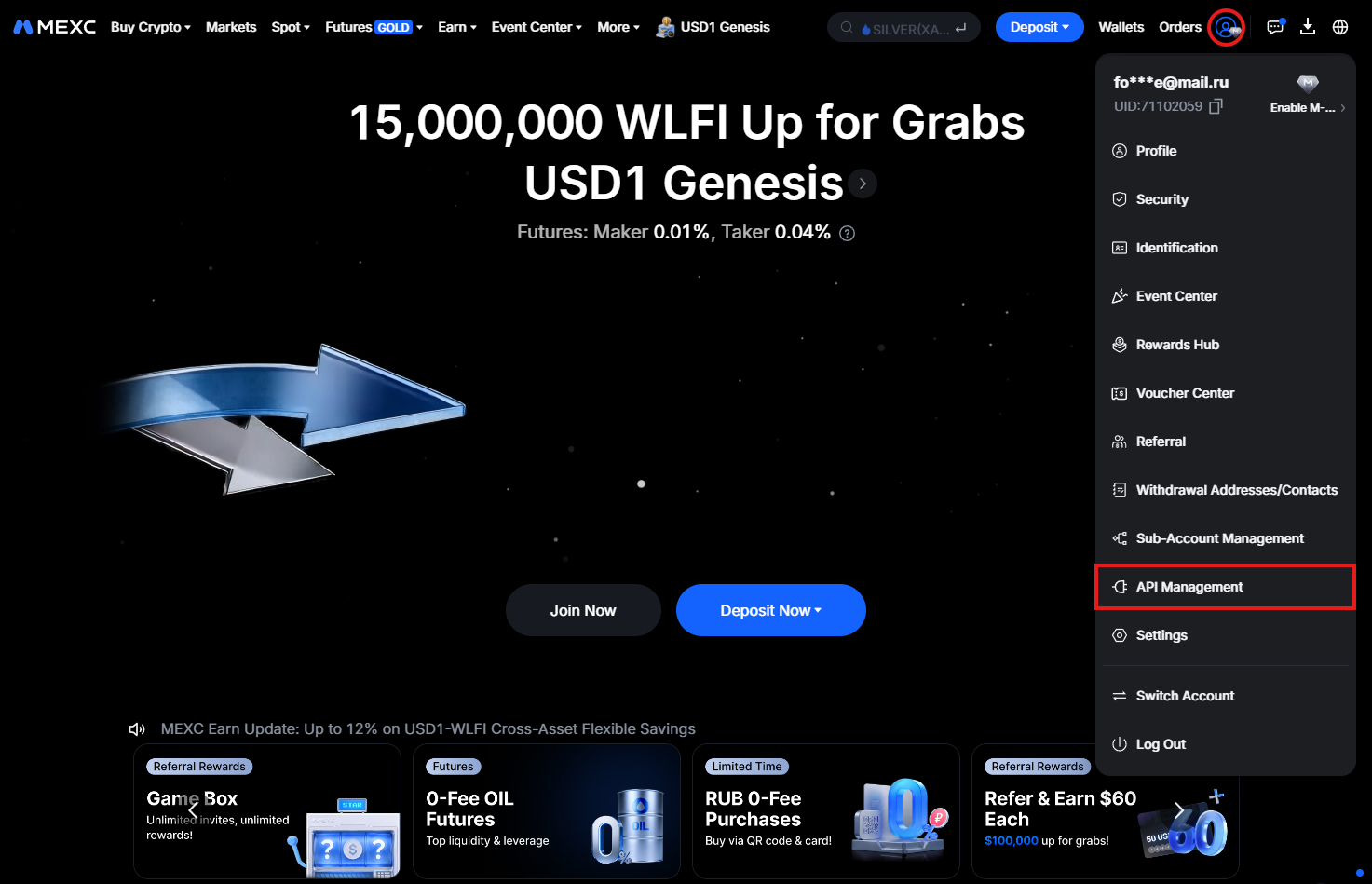
1. Open API Management

Go to MEXC Exchange:

Account → API Management

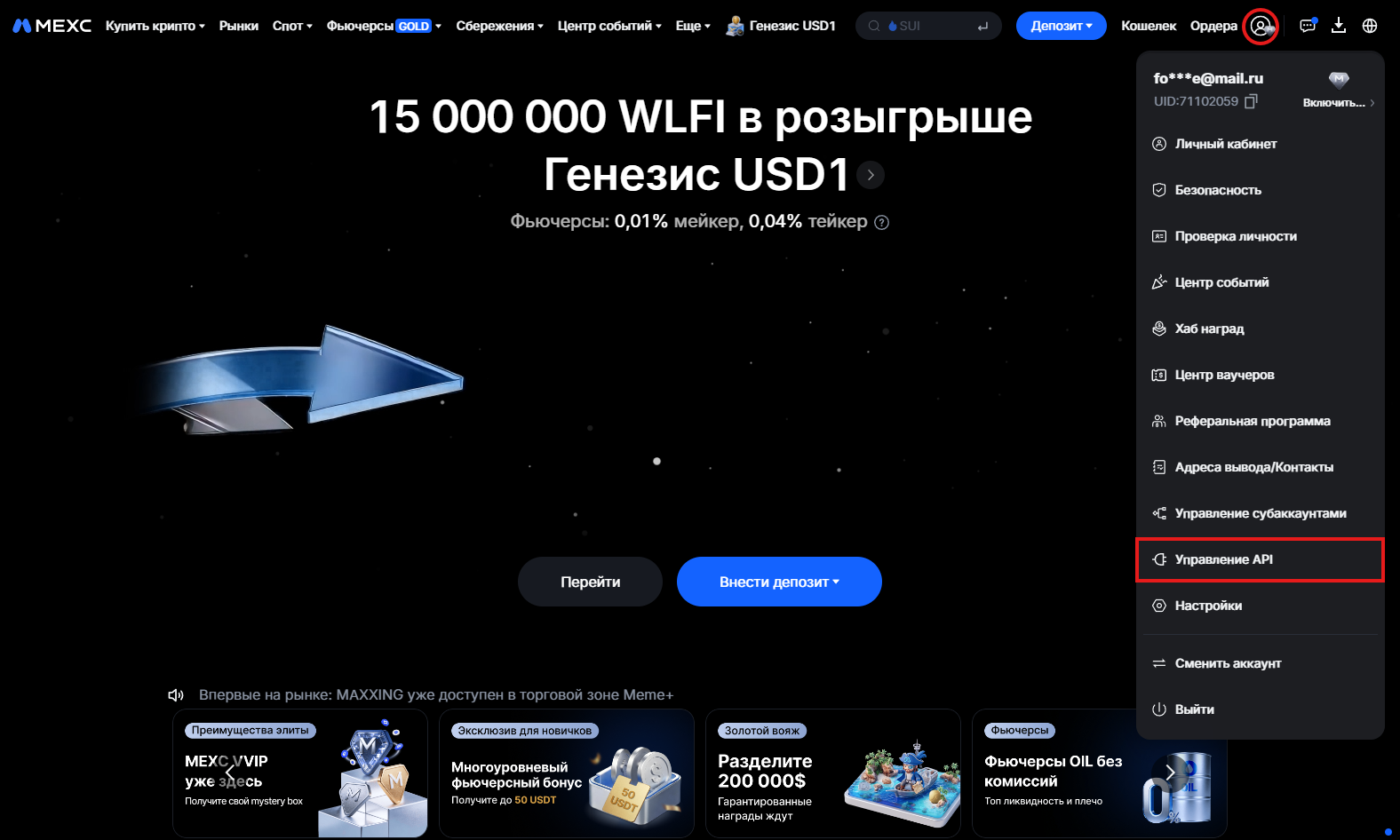
Click the profile icon in the top-right corner and select API Management.

MEXC — Управление API
MEXC — API Management

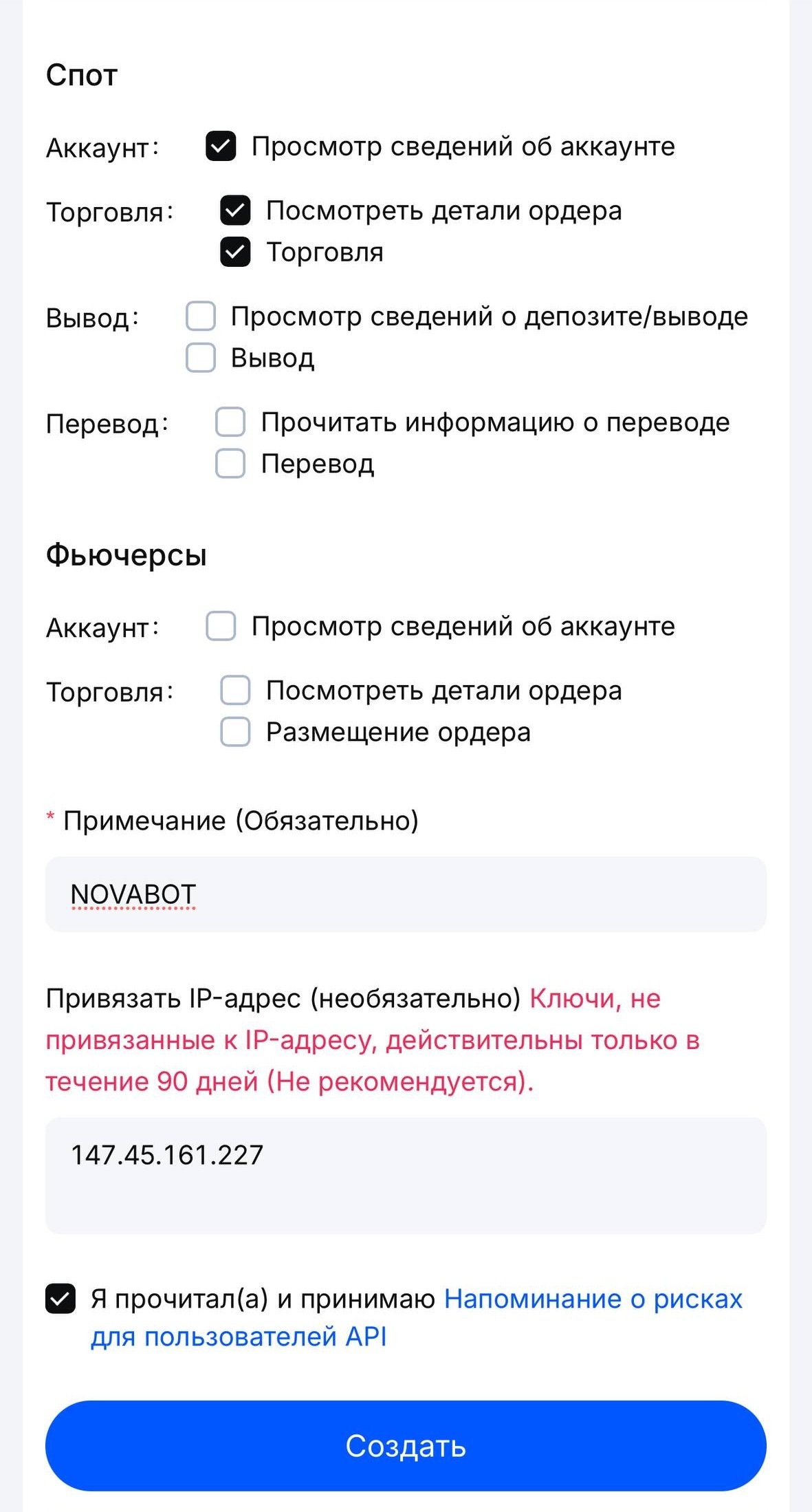
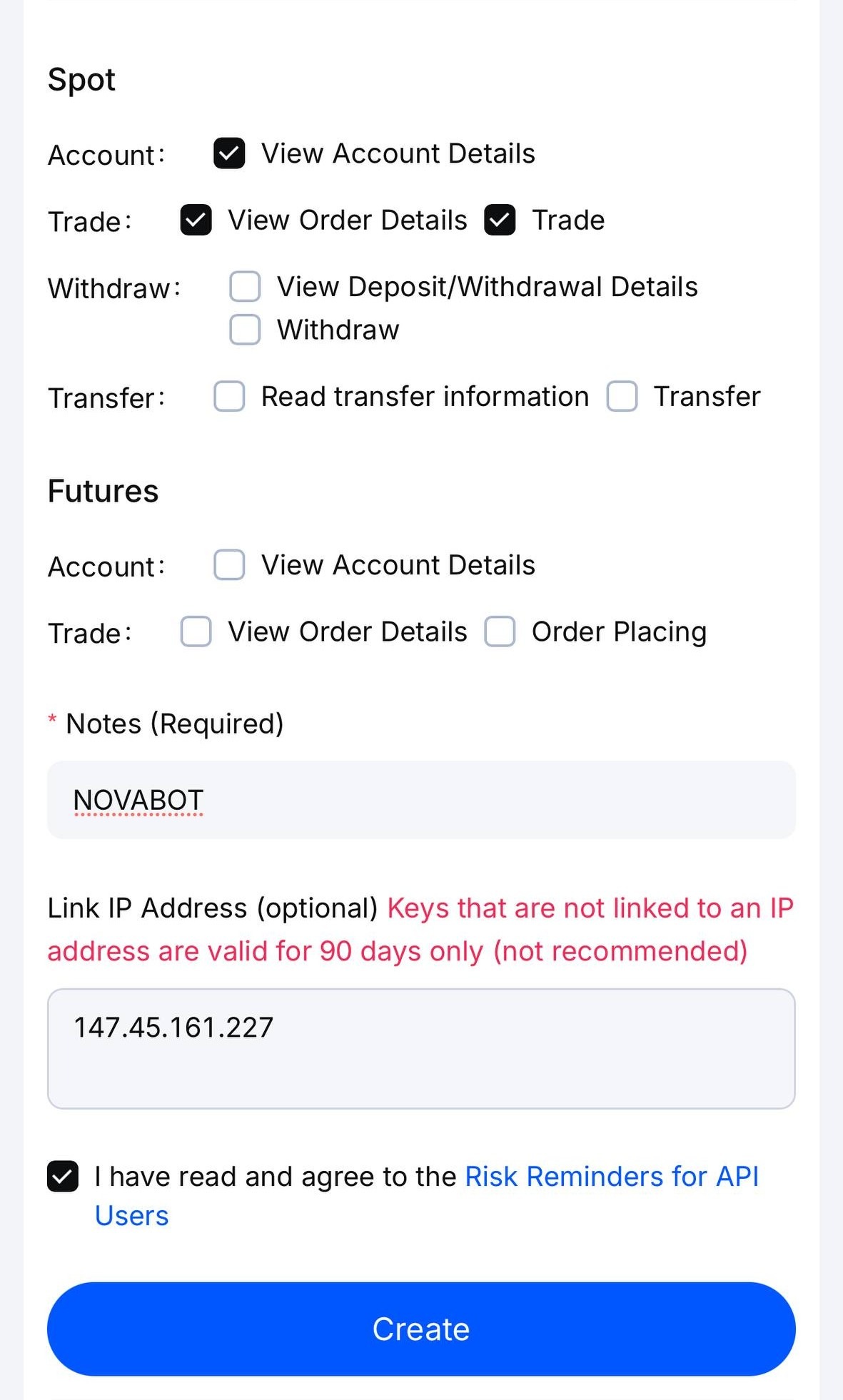
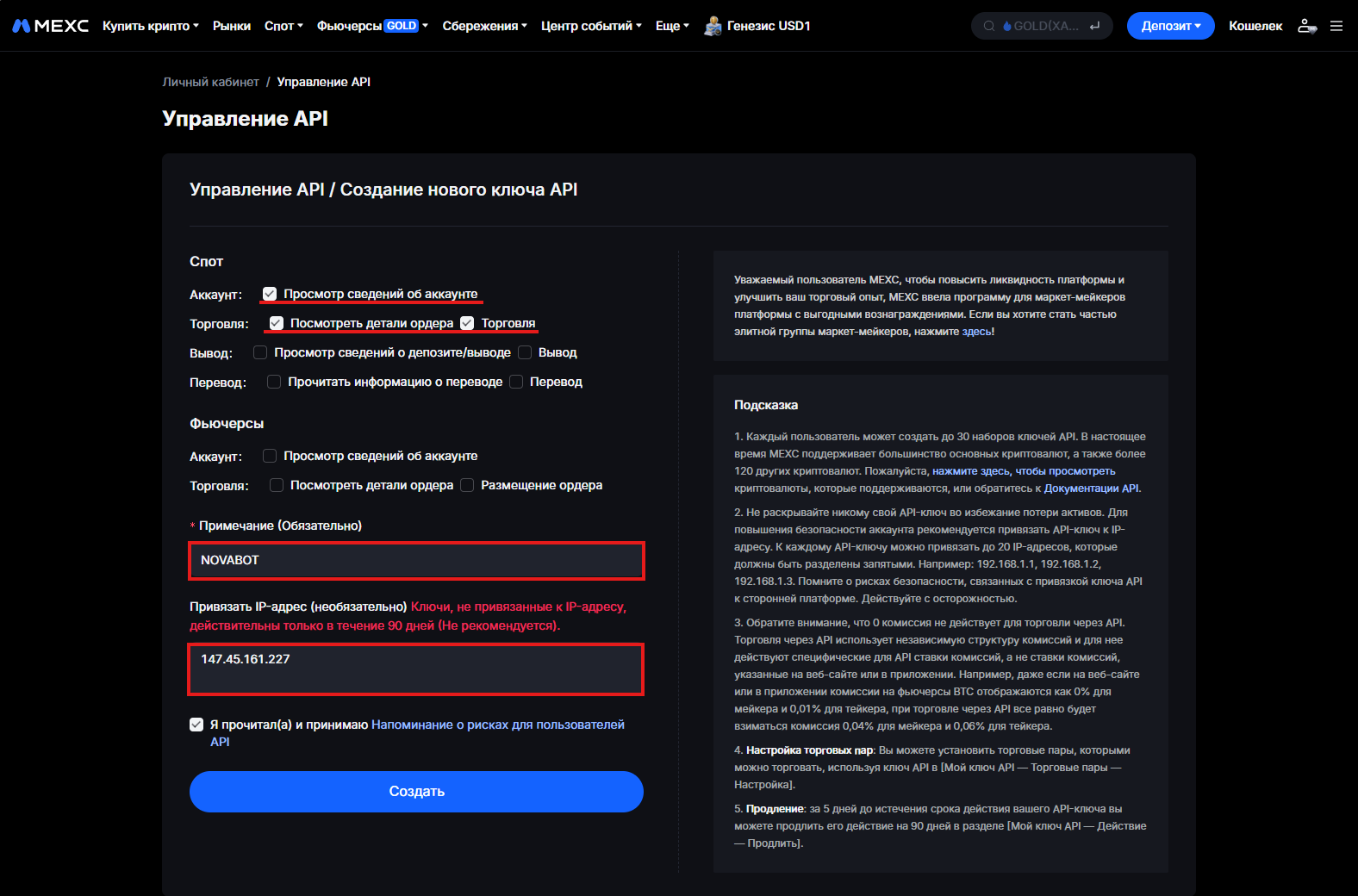
2. Set permissions and create the key

MEXC API setup form example
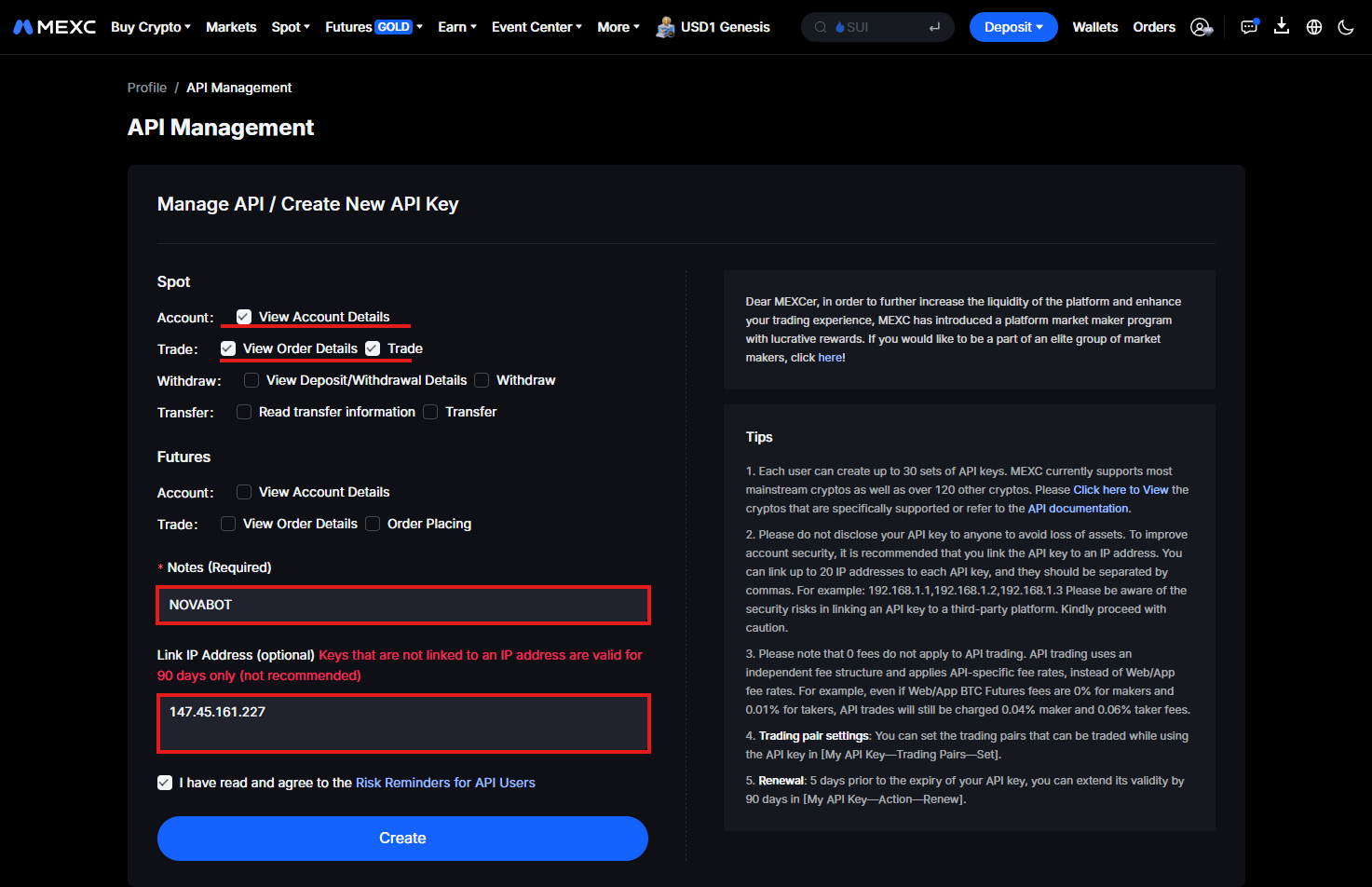
  1. In Spot permissions enable:
    • Account information
    • Order details
    • Trading
  2. In Note, enter any convenient key name:
    • NOVABOT
  3. In IP address, enter:
    147.45.161.227

MEXC — права Spot, примечание и IP-адрес
MEXC — Spot permissions, note and IP address

Click a screenshot to view it at full size.

3. Save the keys and return to NOVA

MEXC API setup example
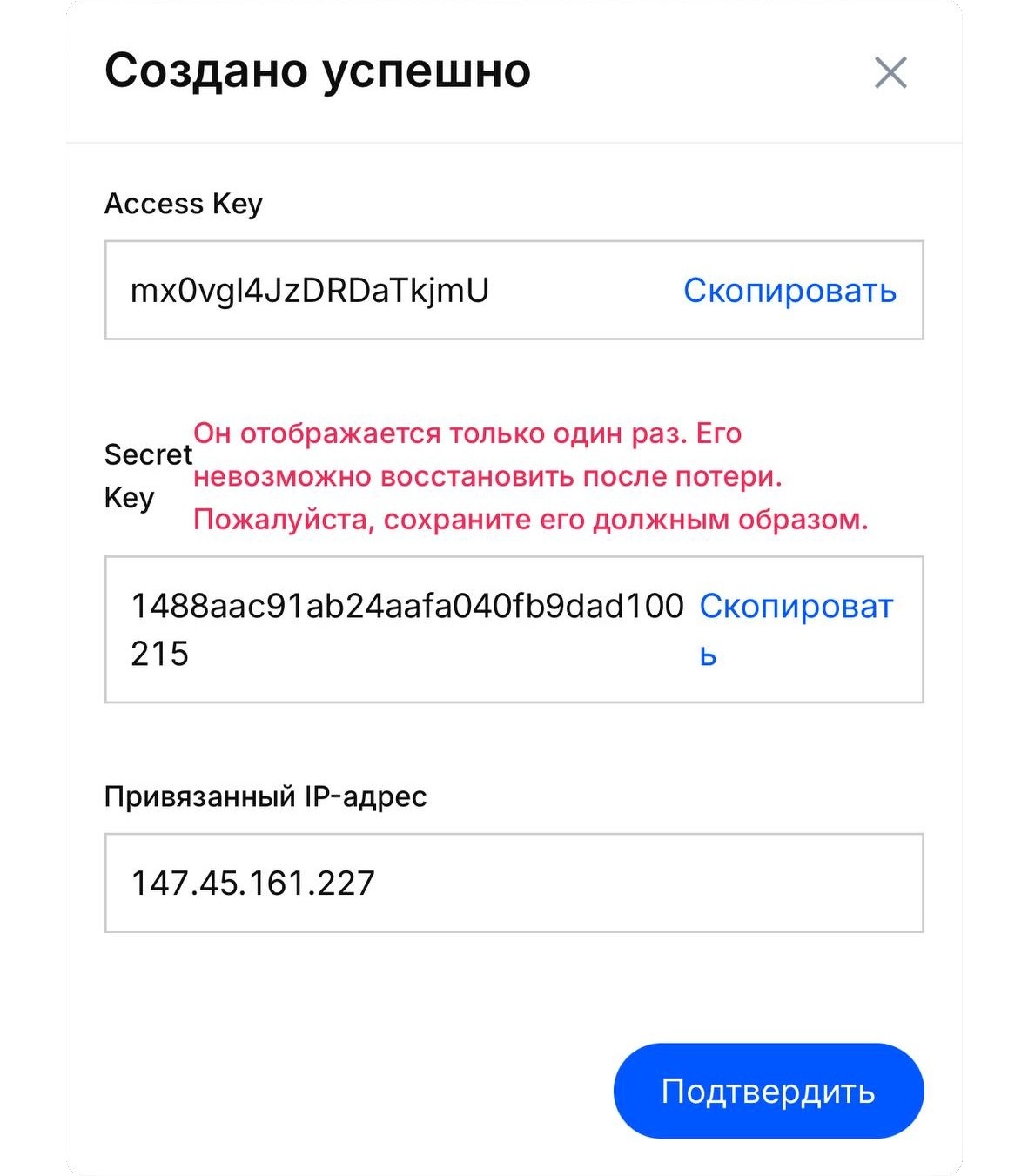
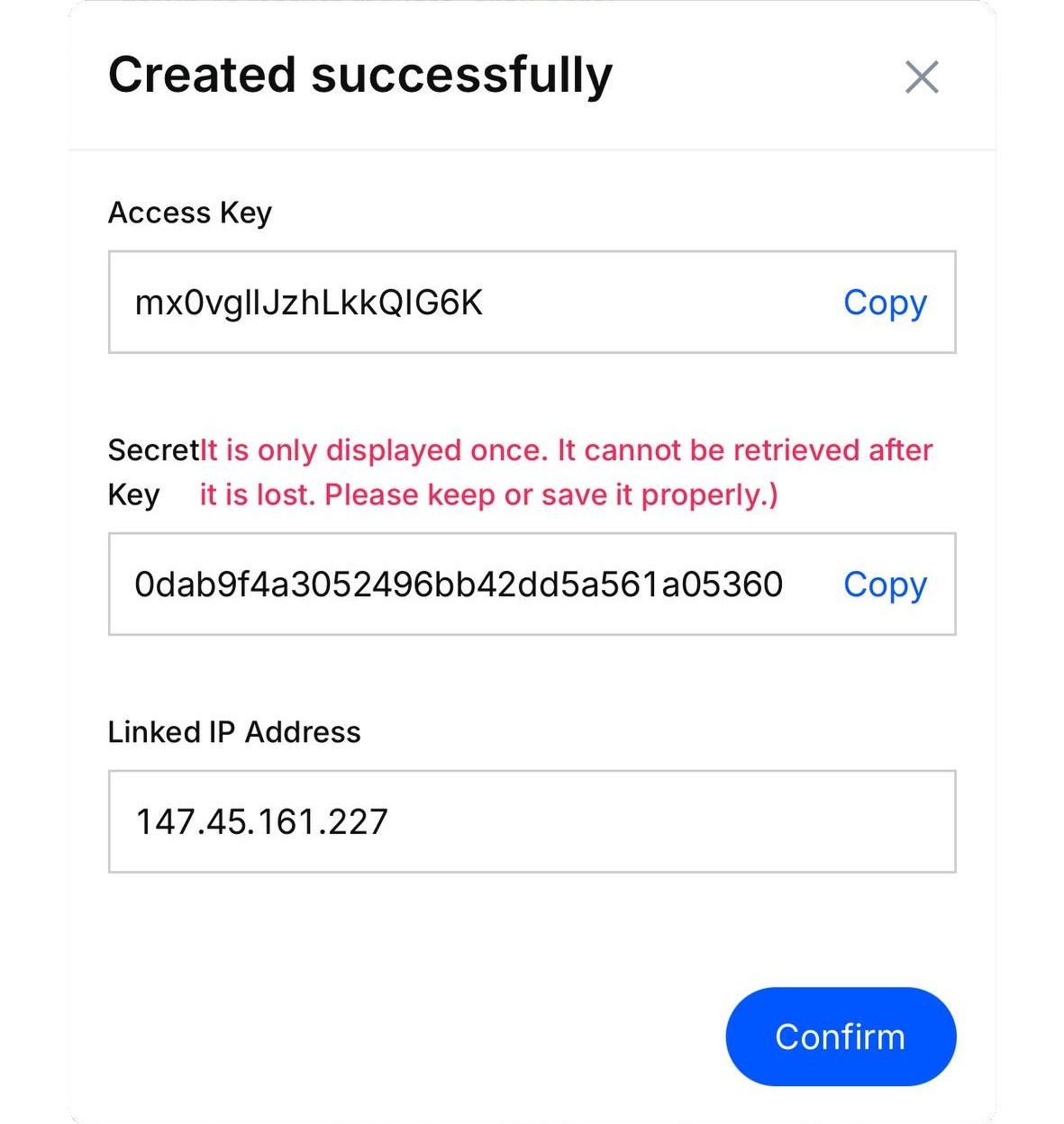
  1. Confirm key creation and save:
    • Access Key
    • Secret Key

    The Secret Key is shown only once. Save it before closing the window.

Important: do not enable withdrawal permission.

How to create a Bybit API key

Use a Global Bybit UTA 2.0 or UTA 2.0 Pro account. Create the key on the Bybit website—not in the mobile app.

  1. 1. Open the API section

    Profile in the upper-right corner → API → Create New Key

  2. 2. Create the key

    Key type
    System-generated API Keys (HMAC)
    Mode
    Transaction API
    Key name
    Any clear name, for example NOVA
  3. 3. Restrict access by IP

    API access
    Read-Write
    IP restriction
    Only IPs with granted permissions can access the OpenAPI
    NOVA server IP
    147.45.161.227

  4. 4. Set the permissions

    Enable only: Unified Trading Account → Spot → Trade
  5. 5. Create the key and return to NOVA

    • Press Submit and complete Bybit security verification if it appears.
    • Copy the API Key and Secret Key.
    • Return to NOVA, paste both keys, and press Connect.

Balance

Total —
Available —

Capital by bot · now

—USD · equiv.
What is included?

Purchase cost of open sell orders. USDT and USDC are combined at a nominal 1:1 USD equivalent, not a live exchange rate. Partial fills are reflected when an order closes completely. Profit period filters do not apply.

Asset Total Available balance Frozen amount

Statistics

Choose a bot

Realized profit $0,00
Closed trades 0
Average per trade $0,00
Best bot
— —

Daily profit

Choose a day

Choose period

Start date

End date

Choose a valid start and end date, not later than today.

$0,00

No closed trades in this period.

Profit by bot

N
User User: -
Access model NOVA Wallet

NOVA Wallet

Current balance —
Remaining charge limit this month —
Charged this month —

Wallet fee and trading rules

  • 20% of profit only After a profitable trade is completed.
  • Up to the monthly cap The limit resets every calendar month.
  • New buys are blocked at zero or below Previously placed orders continue to execute. Notifications about their execution are sent.

Information

TradingView Lightweight Charts™
Copyright © 2025 TradingView, Inc. · Apache License 2.0

BOT

-/-

Unknown Status
Next drop level—
Current price · —
Cycle sell target—

Trades today
—
Profit · MSK
—
Growth
—
Drop
—
Buy amount
—
15m
All orders
Open Orders 0

Recent notifications

Spot

Available—

Required limit sell

Estimated—

Est. profit before fees—

Buy amount:
Unknown
Profit target:
Unknown
Drop step:
Unknown
Allocated Limit:
Off
Max. price:
Off
Min. price:
Off
Auto-averaging:
Unknown
Language:
Unknown
DCA:
Unknown
Buy amount:
Unknown
Deviation threshold:
Unknown
Profit percent:
Unknown
BOT

Parameters

-/-

BOT

DCA settings

-/-